Help every student show what they know.
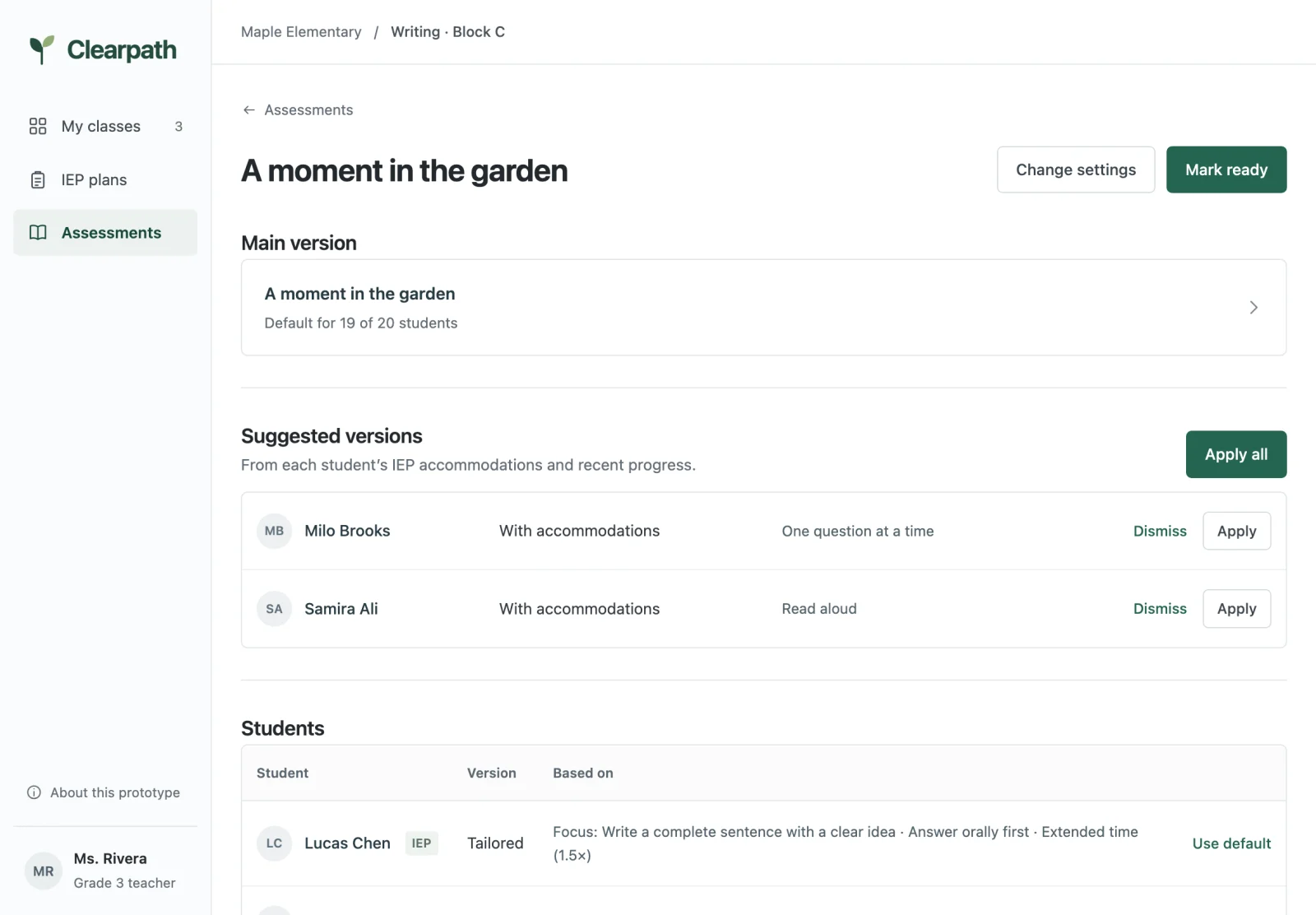
Add one class assessment. Clearpath suggests a version for each student with an IEP.
What we heard from teachers
Plans get forgotten
“And you just sign the paper.”
Adapting takes time
“If I have time, then I do a modified version.”
Too many to watch
“It’s a lot of kids to monitor.”
How it works
- 1
Add your assessment
The one your class is taking.
- 2
Review each version
Suggested from each student’s IEP. You apply, edit, or dismiss it.
- 3
Print and record
Print each version, then record how each student did.
See who gets which version.
Each assessment lists the whole class, with who gets accommodations, a tailored version, or the main one.
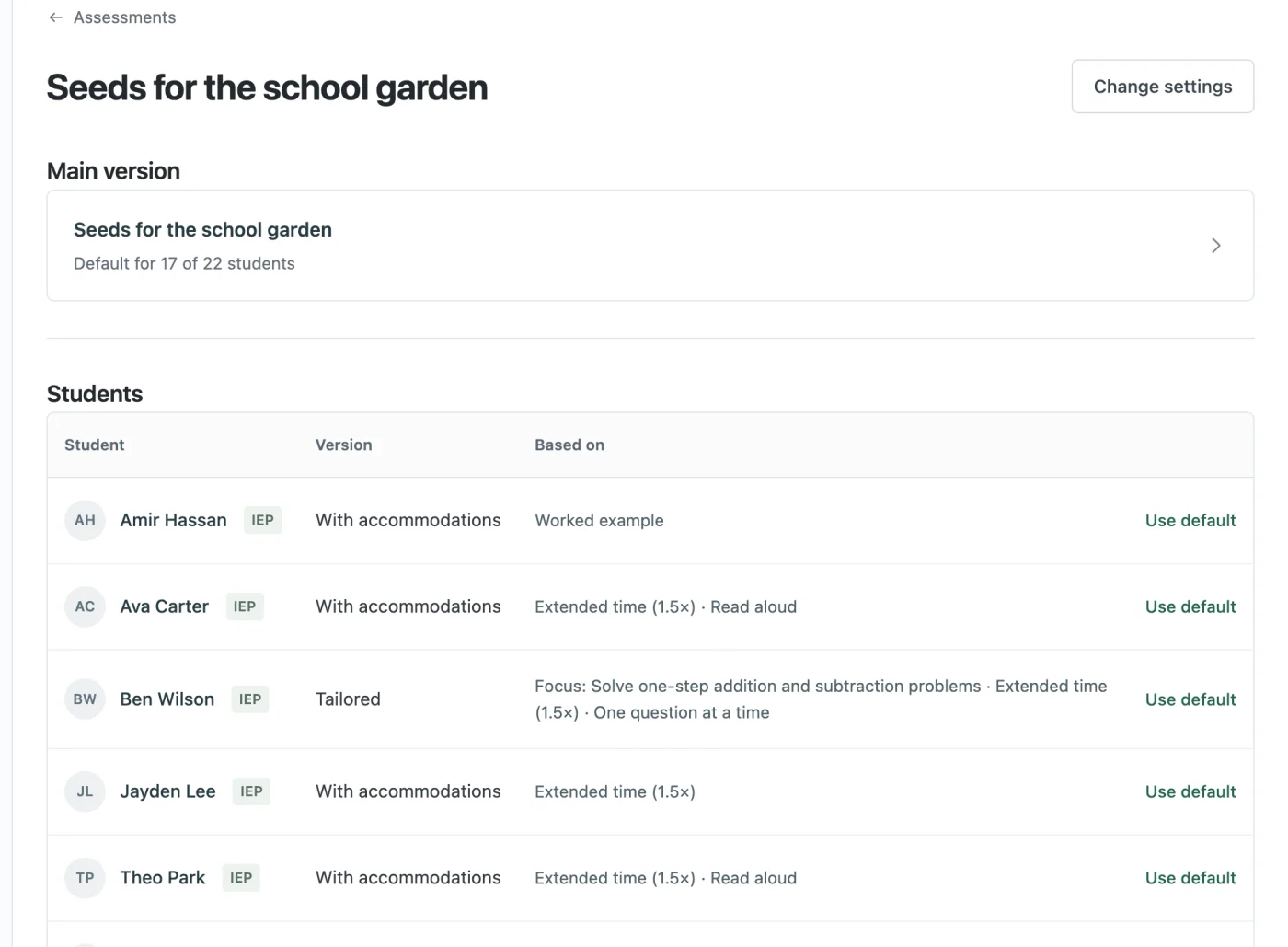
IEP accommodations, on every assessment.
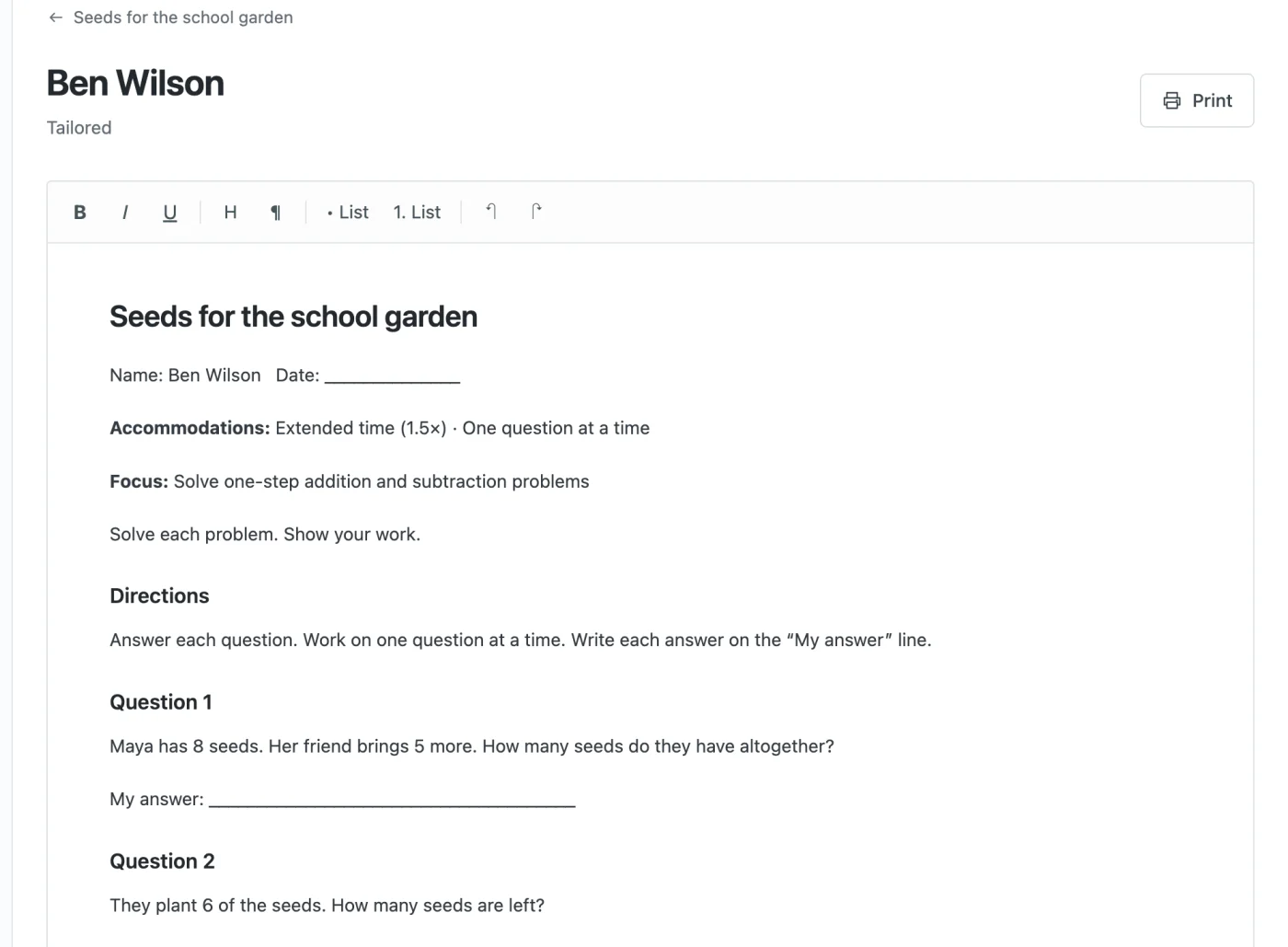
Each student’s accommodations are suggested on every new assessment, not left in a plan signed at the start of the year. Students who need more support get a shorter version built around their current objective.
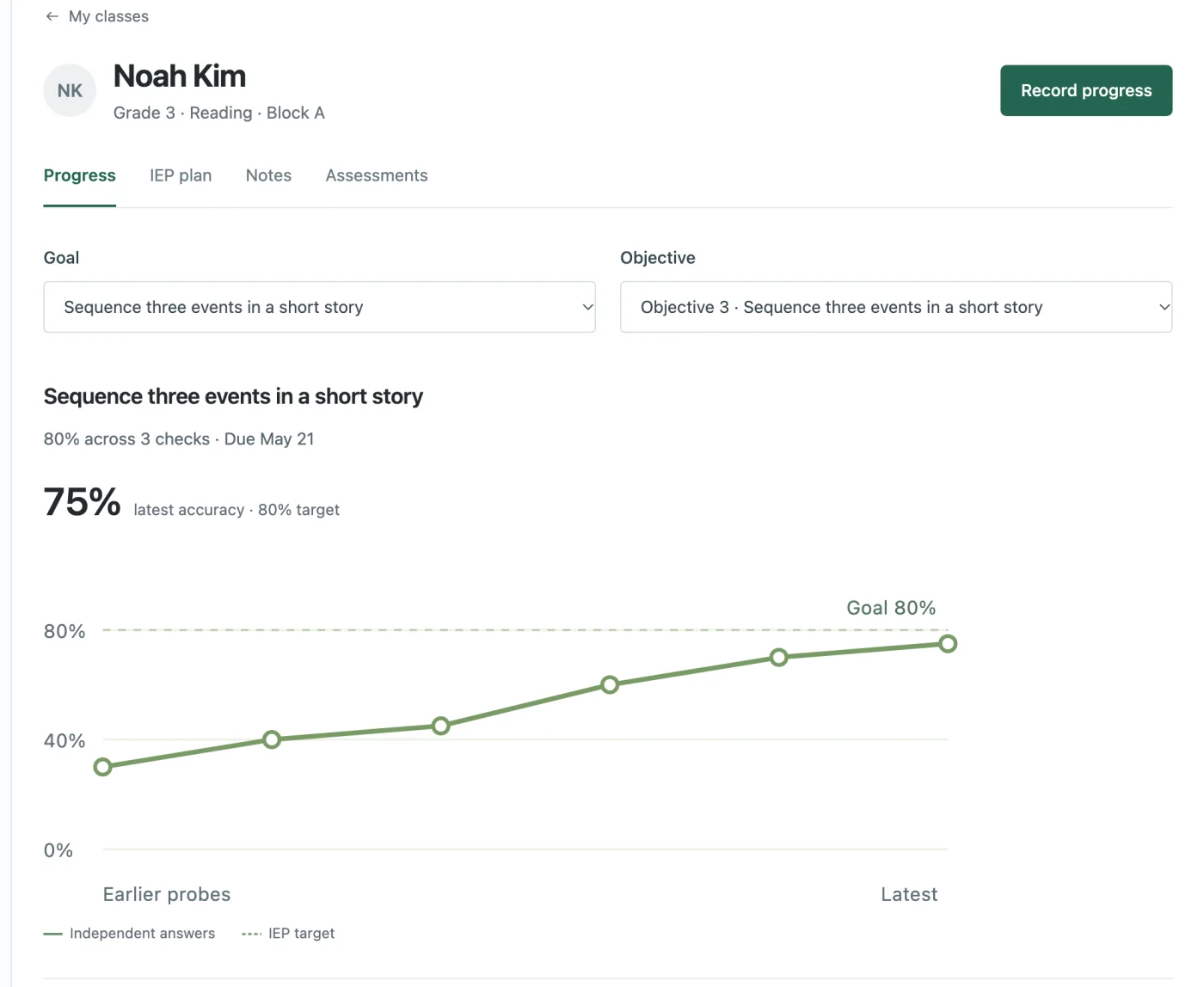
See progress toward each IEP goal.
Record results as you go, attach the student’s work, and see each result against the goal.